

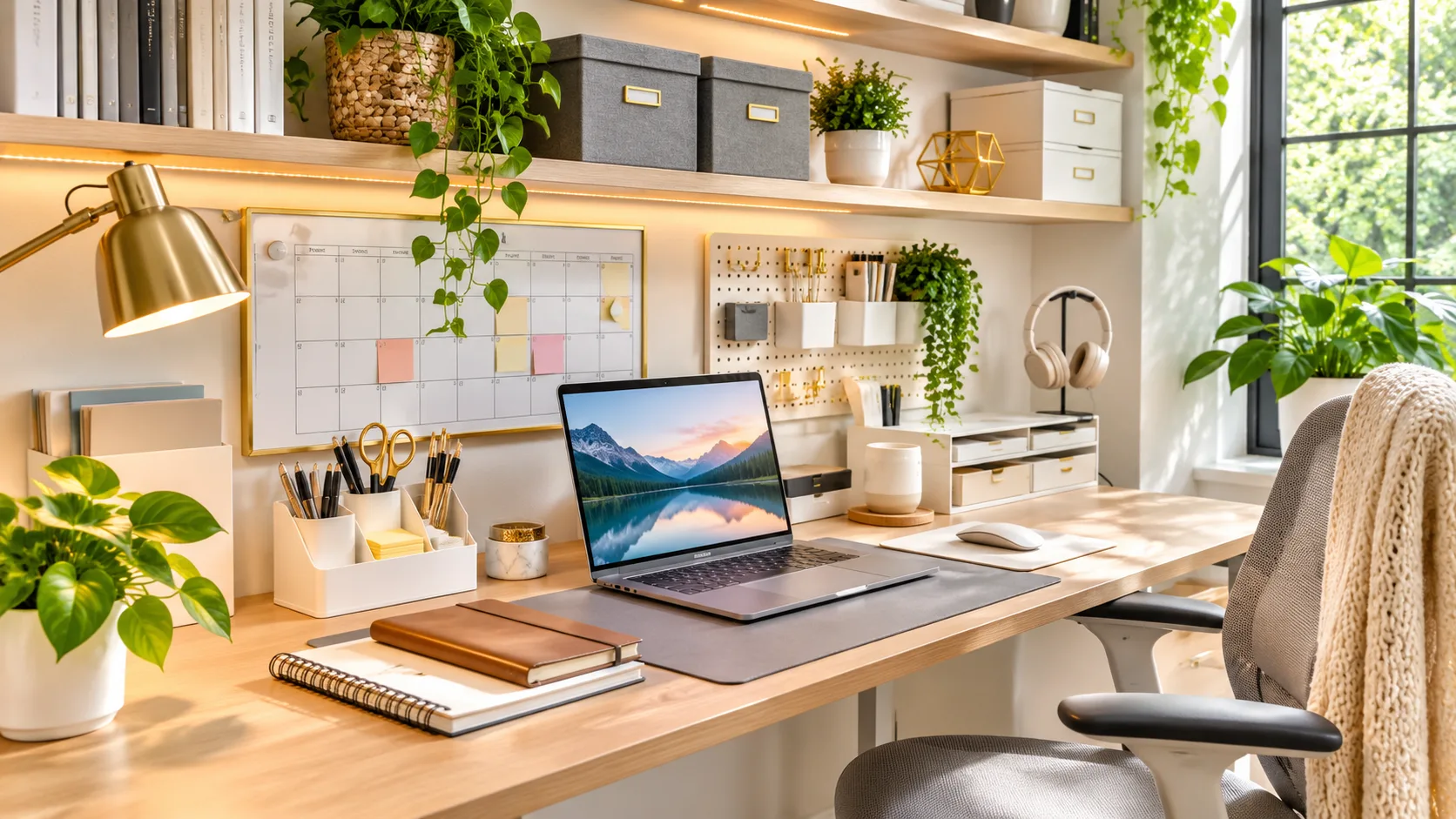
Working from home offers flexibility, comfort, and greater control over your daily routine. However, a cluttered workspace can quickly become distracting, making it difficult to concentrate and complete important tasks. From scattered paperwork to tangled cables, small organizational problems can gradually affect your focus, efficiency, and overall work experience.
Creating an organized home office does not require expensive furniture or a complete room makeover. Simple changes to your desk setup, storage system, and daily habits can make your working environment more comfortable and functional. The key is designing a space that supports your responsibilities while reducing unnecessary distractions throughout the day.
Why Home Office Organization Matters for Productivity
An organized home office makes it easier to find important documents, access essential equipment, and concentrate on daily responsibilities. When everything has a designated location, you spend less time searching for supplies or rearranging your desk. This simple improvement can help create a smoother workflow and reduce unnecessary interruptions during important assignments.
Workspace organization can also influence how comfortable and manageable your workday feels. A crowded desk may create visual distractions, while poorly arranged furniture can make everyday tasks inconvenient. Keeping your surroundings functional helps you maintain attention on meaningful work instead of constantly dealing with preventable organizational problems.
A productive home office should reflect your actual working habits rather than follow a complicated design trend. Some people need space for paperwork, while others depend almost entirely on digital tools. Understanding your daily responsibilities allows you to organize your workspace around practical needs and develop routines that remain useful over time.
Hack 1: Declutter Your Desk and Keep Only the Essentials
The first step toward better home office organization is removing unnecessary items from your desk. Old receipts, unused stationery, empty packaging, and unrelated personal belongings can take up valuable working space. Clearing these items creates a more practical surface where you can comfortably use your computer, write notes, and complete important tasks.
Begin by sorting everything on your desk into items you use frequently, occasionally, or rarely. Keep essential equipment within comfortable reach and move less frequently used supplies into drawers or nearby storage. Remove anything that no longer serves a clear purpose, but avoid throwing away documents without checking whether they contain important information.
Maintaining a clutter-free desk requires a simple routine rather than a major cleaning session every week. Spend a few minutes at the end of your workday putting supplies back in their designated places. This small habit prevents unnecessary items from accumulating and makes it easier to start the following morning with an organized workspace.
Hack 2: Use Vertical Storage to Save Valuable Desk Space
Vertical storage is one of the most practical home office organization ideas, especially when your workspace is small. Instead of spreading supplies across your desk, use available wall space and upright storage solutions. This approach keeps essential items accessible while creating more room for your laptop, documents, and other daily equipment.
Wall-mounted shelves, pegboards, and stackable organizers can accommodate books, office supplies, and frequently used accessories. File holders are also useful for keeping important paperwork upright rather than scattered across a flat surface. Choose storage options that match your available space and can be installed or positioned safely.
Arrange vertical storage according to how often you need different items. Frequently used supplies should remain easy to reach, while decorative objects and occasional materials can occupy higher shelves. This simple arrangement improves accessibility and helps prevent your workspace from becoming overcrowded with items that do not require constant attention.
Hack 3: Organize Cables and Electronic Accessories
Tangled cables can make even a carefully arranged home office look messy and difficult to maintain. Computers, monitors, chargers, and other devices often require several connections that compete for limited desk space. Organizing these cables improves the appearance of your workspace and makes it easier to identify individual connections when necessary.
Cable clips, reusable ties, and under-desk cable trays can help keep wires grouped and positioned neatly. Labeling important cables also makes equipment changes more convenient, particularly when several devices use similar connectors. Keep power connections accessible and follow electrical safety guidance instead of overcrowding outlets or creating tightly compressed cable bundles.
Consider whether every electronic accessory needs to remain connected throughout the day. Unused chargers and unnecessary devices can occupy valuable space and contribute to visual clutter. Creating a dedicated location for headphones, charging accessories, and portable equipment helps maintain a tidy desk while keeping essential technology available when needed.
Hack 4: Create a Simple Filing System for Important Documents
Paperwork can accumulate quickly when you work from home, particularly if your responsibilities involve invoices, contracts, notes, or printed reports. Without a reliable filing system, important information may become difficult to locate. Organizing documents into clear categories makes everyday administrative tasks easier and reduces unnecessary searching.
Begin by separating documents according to their purpose, such as current projects, financial records, reference materials, and completed work. Use labeled folders, file trays, or a compact filing cabinet to maintain these categories. Keep active documents close to your desk while storing older records securely in a suitable location.
Digital documents also benefit from a consistent organizational structure. Create clearly named folders on your computer and use predictable file names that make information easier to identify. Review files periodically, back up important information, and securely dispose of sensitive records when appropriate to prevent unnecessary accumulation.
Hack 5: Divide Your Home Office Into Functional Zones
Creating separate zones within your home office helps establish a clear purpose for different activities. Even a small workspace can benefit from designated areas for computer work, paperwork, storage, and occasional meetings. This arrangement reduces unnecessary movement between tasks and helps you maintain a more consistent working routine.
Your primary work zone should contain the equipment and supplies required for everyday responsibilities. A secondary area can hold printed documents, notebooks, and materials used for planning or reviewing projects. If space permits, a comfortable reading corner or separate surface may also be useful for activities that do not require a computer.
Functional zones do not require additional rooms or expensive furniture. Simple arrangements, such as placing a storage unit beside your desk or assigning one drawer to planning materials, can create useful boundaries. The goal is to make your workspace easier to navigate while ensuring that essential activities have enough room.
Hack 6: Improve Your Desk Layout for Comfort and Focus
A well-organized desk should support comfortable working habits rather than simply look attractive. Poor equipment placement can lead to unnecessary reaching, awkward sitting positions, and frequent interruptions. Reviewing your desk arrangement helps you create a setup that supports concentration while making everyday computer tasks easier to complete.
Position your monitor at a comfortable viewing distance and adjust the screen so you can look at it without repeatedly bending your neck. Keep your keyboard and mouse within easy reach, allowing your arms to remain relaxed. Good lighting is equally important because reflections and poorly positioned lamps can make screen-based work uncomfortable.
Arrange frequently used items according to your normal workflow. If you regularly take notes during meetings, keep a notebook and pen close to your keyboard without covering your working surface. Small adjustments to furniture, lighting, and equipment placement can make your home office more practical without requiring major changes.
Hack 7: Follow a Daily Five-Minute Organization Routine
One of the easiest ways to maintain an organized home office is to develop a short cleaning routine. Instead of allowing clutter to build throughout the week, dedicate a few minutes to resetting your workspace each day. This makes organization feel manageable and prevents small messes from turning into time-consuming problems.
Start by removing unnecessary papers, returning supplies to their designated places, and clearing used cups or other personal items. Check whether important documents need filing and prepare essential materials for the following day. A quick desk reset also provides an opportunity to notice missing supplies before they interrupt your next work session.
Consistency matters more than spending a long time cleaning occasionally. Choose a convenient moment, such as immediately after finishing your final task, and make organization part of your workday. Over time, this simple habit can help maintain a tidy home office without adding significant effort to your daily schedule.
How to Organize a Small Home Office Without Extra Space
Small home offices often require creative solutions because furniture, equipment, and storage must fit within limited space. However, a compact working area can still be comfortable and productive when arranged thoughtfully. The most important step is identifying which items are essential and finding practical ways to store everything else.
Choose furniture that suits the dimensions of your workspace rather than filling the room with oversized pieces. Compact desks, narrow shelving units, and storage drawers can provide useful functionality without occupying unnecessary floor space. If appropriate, multifunctional furniture may also help you combine working and storage needs more efficiently.
Keep the overall design simple to avoid making a small workspace feel crowded. Use clear storage categories, limit unnecessary decorations, and maintain open surfaces wherever possible. Natural light and carefully positioned lighting can also make the area feel more inviting while supporting comfortable working conditions throughout the day.
Budget-Friendly Home Office Organization Ideas
Improving your home office does not always require purchasing expensive organizers or replacing existing furniture. Many practical improvements can be made using supplies already available around your home. Repurposing suitable containers, rearranging furniture, and removing unnecessary items can make a noticeable difference without placing pressure on your budget.
Small boxes can help separate stationery, charging accessories, and other frequently used supplies inside drawers. Existing shelves may provide additional storage when rearranged more effectively, while reusable labels can make document categories easier to identify. These affordable solutions allow you to create a functional organizational system before considering new purchases.
When buying office accessories, focus on solving specific problems rather than collecting attractive storage products. Measure your available space and consider whether each item will genuinely improve your daily routine. A simple, affordable setup that matches your working habits is often more useful than an elaborate arrangement requiring constant maintenance.
Common Home Office Organization Mistakes to Avoid
One common mistake is purchasing storage products before understanding what needs to be organized. Additional containers may simply hide clutter instead of solving the underlying problem. Reviewing your belongings first helps you identify what to keep, relocate, or remove before introducing new organizational tools.
Another mistake involves keeping every frequently used item directly on the desk. Although convenience is important, overcrowding the work surface can limit available space and create distractions. A better approach is placing essential equipment nearby while using drawers, shelves, and organizers for supplies that do not require constant access.
Some people also create complicated systems that are difficult to maintain during busy workdays. Too many categories, labels, or storage locations can make basic tasks unnecessarily time-consuming. Simple organizational methods are generally easier to follow consistently because they support everyday habits rather than demanding additional attention.
How to Maintain an Organized Home Office Long-Term
Long-term home office organization depends on developing habits that fit naturally into your working routine. A workspace may look perfect immediately after cleaning, but clutter can return when storage systems are inconvenient. Choosing simple arrangements makes it easier to maintain order even when your schedule becomes demanding.
Review your workspace regularly to identify supplies, documents, or equipment that no longer serve a useful purpose. You may need to adjust storage categories when projects change or new responsibilities develop. Periodic reviews help ensure your organizational system continues supporting your work instead of becoming outdated.
It is also useful to pay attention to how your workspace affects your concentration and comfort. If you repeatedly struggle to find particular items, reconsider where they are stored. Making small adjustments based on actual experience allows your home office to evolve alongside your working needs.
Conclusion
Creating a productive home office begins with simple organization habits that make everyday tasks easier. Decluttering your desk, using vertical storage, and managing cables can reduce unnecessary distractions. A practical filing system and well-planned workspace layout also help you find essential materials while maintaining a comfortable working environment.
These seven home office organization hacks do not require expensive furniture or complicated renovations. Small adjustments, such as creating functional zones and following a daily cleaning routine, can make a meaningful difference. The most effective approach is choosing solutions that match your available space, personal preferences, and daily responsibilities.
An organized workspace should support your productivity without becoming another demanding task. Start with one improvement, observe how it affects your routine, and gradually introduce additional changes. With consistent habits and thoughtful planning, you can create a home office that feels comfortable, practical, and easier to maintain.
Frequently Asked Questions
How can I organize my home office for better productivity?
Start by decluttering your desk, creating designated storage areas, and organizing essential documents. Keep frequently used equipment within easy reach and follow a short daily cleaning routine to maintain a functional workspace.
What is the best way to organize a small home office?
Use vertical storage, compact furniture, and clearly defined work areas to maximise available space. Keep unnecessary items off your desk and select multifunctional storage solutions that suit your working needs.
How do I keep my home office desk clutter-free?
Keep only essential equipment and frequently used supplies on your desk. Return items to their designated storage locations after use and spend a few minutes cleaning your workspace each day.
What are some affordable home office organization ideas?
Reuse suitable containers for stationery, organize existing shelves, label storage folders, and rearrange furniture to improve accessibility. These simple changes can make your workspace more functional without significant spending.
How often should I organize my home office?
A quick daily desk reset helps prevent clutter from building up. You can also review documents, storage areas, and unused supplies weekly or monthly to maintain an efficient working environment.